> For the complete documentation index, see [llms.txt](https://guide-en.dbotx.com/llms.txt). Markdown versions of documentation pages are available by appending `.md` to page URLs; this page is available as [Markdown](https://guide-en.dbotx.com/telegram-bot/telegram-bot-for-personal/auto-sniper.md).
# Auto Sniper
{% hint style="info" %}
### **DBot TG Bot supports Auto Sniper**
{% endhint %}
* Click on Auto Sniper on the home page, or enter the /sniper to create and manage auto sniper tasks.
* Click Create, enter the token address, fill in the sniper related parameter settings, confirm and submit.
* Auto Sniper supports Anti Spike for trading
**Anti Spike ( TP/SL ) :** When enabled, use the 1-second mid-price as trigger price with Anti-Spike Mechanism (not 100% guaranteed)
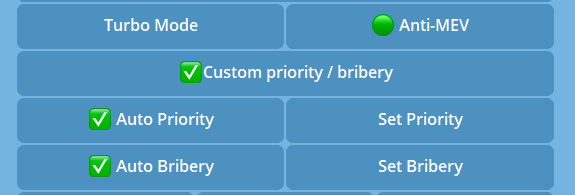
* **Customized priority fee and bribery tip for Solana's transactions supported**
When checked, you can customize the priority fee and bribery tip for turbo mode / anti-MEV, otherwise it will be auto assigned by the system
* The functions of TG bot Auto Sniper are the same as DBot-Dashboard, and the tasks are interoperable. For more details, please refer to: [**Auto Sniper**](/dex-trading-bot/auto-sniper.md)